AI Food Photos: Edit the Real Dish, Don’t Invent One
AI-generated food photos lose trust once customers know. Use AI to fix the light, colour and clutter in a real photo instead: prompts and apps inside.
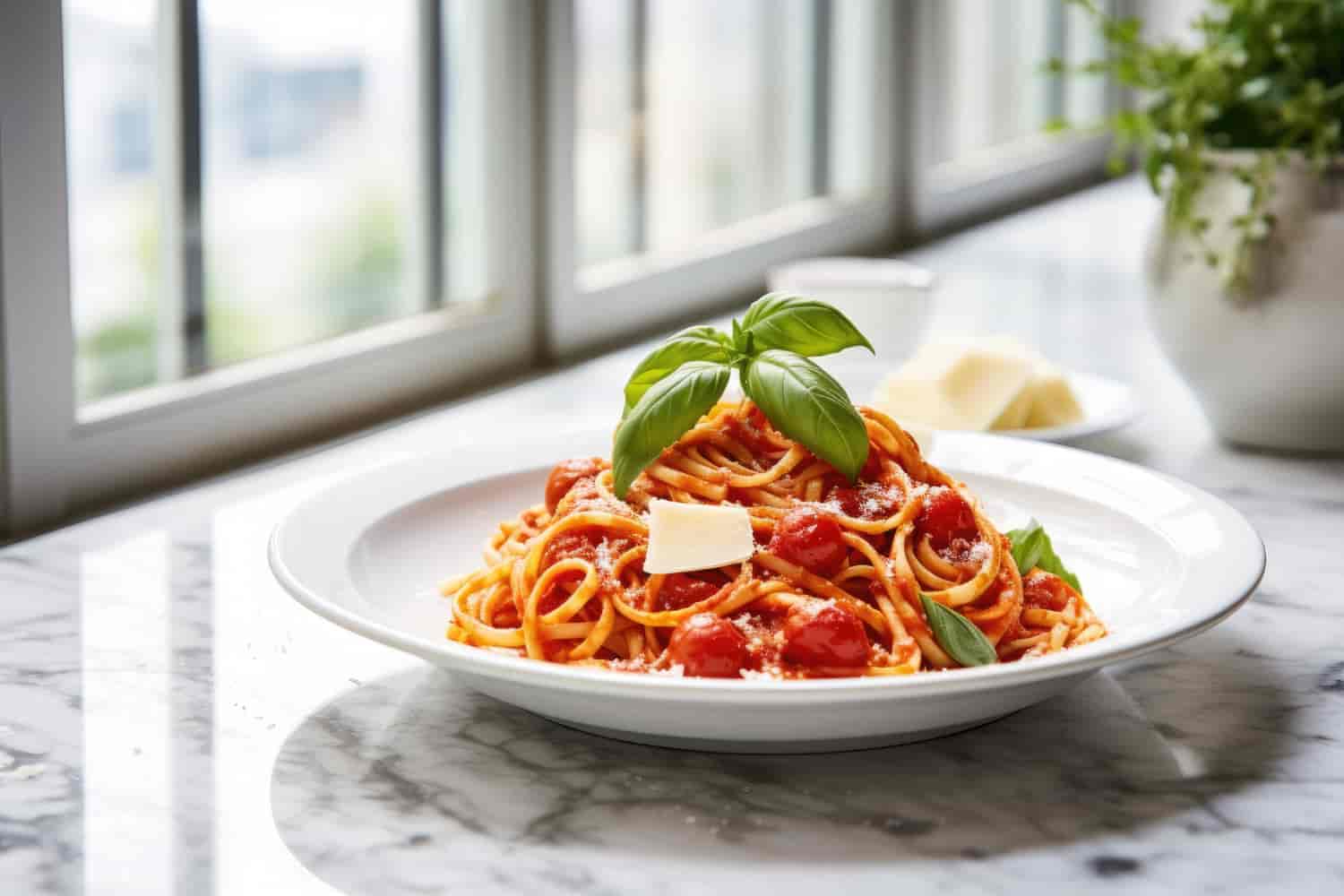
Use AI to edit a real photo of your dish, never to invent one. Five studies published since 2024 point the same way: people spot AI-generated food more easily than you’d hope, and once they know an image is AI, they value the dish less and are less likely to buy it. On a delivery app, everyone finds out. The bag arrives, and the customer compares.
Below: what the research found, where editing ends and inventing begins, how to shoot a dish on a phone, and the prompts and apps that do the editing.
Do customers trust AI-generated food photos?
Not once they know, and they often know. At the University of Oxford, Giovanbattista Califano and Charles Spence ran two experiments with real and AI-generated food images. In the first, participants found the AI images “very easy to recognize”, especially ultra-processed foods. In the rating experiment, 297 people scored the images: unlabelled, the AI versions were consistently rated more appetizing, but once told which was which, people rated real and AI equally (Food Quality and Preference, 2024; Oxford’s summary).
That is the only good news for generated photos, and it lasts until the label. Three experiments published this year in the British Food Journal found that labelling a dish’s photo as AI-generated “greatly reduces purchase intentions”: people assumed the business had put in less effort, trusted the image less and expected the food to taste worse. The penalty was bigger on dishes sold at a price premium (Chen et al., 2026). A separate study of 241 consumers in Spain found AI-generated food images lowered perceived value and increased negative word of mouth (Guinalíu, Belanche and Casaló, 2026).
Nearly real is worse than obviously fake. In a 2025 study in Appetite, AI food images that were almost but not quite realistic were rated less pleasant and more uncanny than both convincing and cartoonish ones (Diel et al., 2025). In August, the same research group reported that 87 people rated AI food images as less realistic than matched real photos, and wanted to eat the food less, while judging it just as healthy (Scientific Reports, 2026).
Generated or edited: where is the line?
The line isn’t whether AI touched the file. It’s whether the food in the picture is the food in the bag.
| AI-generated | AI-edited | |
|---|---|---|
| Starts from | A text description | Your photo of the dish |
| The food shown | Whatever the model draws | What you plated |
| Portion, colour, garnish | Invented | Unchanged |
| What AI changes | Everything | Light, colour, crop, clutter |
| When the order arrives | The customer compares | It matches |
Oxford’s researchers traced the appeal of generated food to “symmetry, shape, glossiness, and overall lighting and colour”. Lighting and colour you can fix honestly on a real photo. Symmetry and gloss on the food itself are where editing turns into inventing.
- Fair game: brightness, white balance (a yellow plate made white again), straightening, cropping, grain from a dim room, a stray fork, crumbs on the table, a cluttered background.
Off limits: a bigger portion, extra toppings or garnish, a glossier sauce, steam that wasn’t there, a stock photo of someone else’s dish.
…in Photography I can never deny that the thing has been there.
— Roland Barthes, Camera Lucida (1980)
That is the promise a food photo makes to someone hungry: this existed, and it is what you’ll get. An edited photo keeps the promise. A generated one makes it with nothing behind it.
How to take good food photos on a phone
So plate one portion for the camera in that quiet hour. Then work through this list:
- Shoot by a window, in daylight. Side light from a window, every other light off, no flash. Mixed daylight and overhead bulbs give food a yellow or green cast.
- Choose the angle by the shape of the food. Straight down for flat food like pizza, bowls and platters. About 45 degrees for most plated dishes. Straight on for tall food: burgers, sandwiches, layer cakes.
- Shoot within a minute of plating. Sauces skin over, greens wilt and cheese sets while you hunt for the right angle.
- Show the portion you serve. Same size, same garnish, same sides as the order. If the dish travels in a container, one shot in the container is honest and useful.
- Wipe the lens and the plate rim. A phone lens lives in a pocket, and one fingerprint softens every shot. Drips on the rim read as mess even at thumbnail size.
- Leave space around the dish. Local Pass shows the same photo square in some places and 4:3 in others, so a tight crop loses its edges.
- Tap the front of the food to focus, then drag the brightness down a little. Highlights on sauce and cheese are the first thing to blow out.
- Use the same spot at the same time of day for every dish. A menu shot in one place looks like it came from one kitchen.
How to use AI as a photo editor, with prompts
Realism is the product. In the 2026 Scientific Reports study, the more realistic an AI food image looked beside its real twin, the more people wanted to eat what it showed. So give the editor one job, and fence off the food. Gemini and ChatGPT don’t nudge your photo the way a slider does; they make a new image from it, and an unguarded “make it better” can quietly change the dish.
Each prompt below names the fix, then says what must not change. Paste it with your photo and adjust the details.
Fix the light and colour
Brighten this photo so it looks lit by daylight from a window on the left. Correct the white balance so the plate is white, not yellow. Do not change the food: keep its shape, size, colour, garnish and portion exactly as they are. Do not add or remove anything.
Remove clutter
Remove the fork, the napkin and the crumbs on the table. Keep the plate and everything on it exactly as it is.
Replace a messy background
Replace the background behind the bowl with a plain light wooden table in soft daylight. Keep the bowl and the food unchanged, including their colours and the shadow underneath.
Straighten and crop
Straighten this photo and crop it to a square, with the plate centred and space around it. Change nothing else.
Make a set of menu photos match
Match the brightness and colour of this photo to the second photo I've attached. Do not change the food in either photo.
Put a packaged product on white (for shops)
Remove the background and place this jar on plain white with a soft shadow underneath. Keep the label sharp and readable, exactly as printed.
Then check the result against the original, side by side: the portion, the colours, every garnish. If the model moved a single shrimp, start again from the original, not from the edit.
Some requests turn an edit into a fake however carefully they’re worded: “make it look more delicious”, “add steam”, “make the portion look bigger”, “add fresh herbs on top”. Make it look more delicious is how a real photo becomes a generated one, one request at a time.
Which AI photo apps should a food business use?
Start with what’s already on your phone, and add an app only when it saves you a step. None of these needs a design background.
| App | Use it for | Cost |
|---|---|---|
| Your phone’s photo editor | Brightness, warmth, cropping and straightening. Clean Up on an iPhone 15 Pro or newer (Apple) and Magic Eraser in Google Photos (Google) remove a stray object | Free, already installed |
| Snapseed | Precise manual fixes: White Balance, Selective (brighten one part of the frame), Healing, Perspective | Free, from Google |
| Adobe Lightroom mobile | Saving one look as a preset and applying it to every dish, so the menu matches | Free to download and edit in; Generative Remove needs an Adobe membership or trial (Adobe) |
| Gemini | Edits by prompt, in plain English | Free and paid plans; redraws the image, so compare it with the original |
| ChatGPT | Edits by prompt, in plain English | Free and paid plans, with usage limits; redraws the image, so compare it with the original |
| Photoroom | Packaged products on a clean white background | Free to try, with paid plans |
Google Photos has its own prompt-based editor, but its June 2026 expansion covered the US, Australia, India, Japan and five European countries, not Canada (9to5Google). Here, the Gemini app does the same job.
Let AI clear the table. Never let it cook.
Good to know
Is it OK to use AI-generated food photos on a menu?+
It is risky. Studies published since 2024 found that once people know a food photo is AI-generated, they rate it no better than a real photo and are less likely to buy the dish. A generated image also shows food you have never made, and a customer ordering for delivery compares it with what arrives. Use AI to edit a real photo of your dish instead.
Can customers tell if a food photo is AI-generated?+
Often, yes. In a 2024 University of Oxford study in Food Quality and Preference, participants found AI-generated food images easy to recognize, especially ultra-processed foods. A 2026 study in Scientific Reports found people rated AI food images as less realistic than matched real photos, and were less willing to eat the food they showed.
What AI edits are acceptable on a food photo?+
Edits that change the conditions, not the food: brightness, white balance, cropping, straightening, grain from low light, and removing clutter such as a stray fork or crumbs. Avoid anything that changes what the customer receives, such as a larger portion, extra garnish, a glossier sauce or added steam. Compare every edit with the original photo before you use it.
What is the best free app for editing food photos?+
Start with the photo editor already on your phone, which handles brightness, warmth and cropping, and on recent iPhones and in Google Photos can remove a stray object. Snapseed, from Google, is free and adds precise white balance and selective adjustments to one part of the photo. Both edit your real photo rather than generating a new one.
Do I need a professional photographer for menu photos?+
Not to start. A recent phone, a window with daylight and a clean plate produce a usable menu photo, and a light edit can fix the colour and clutter. A professional shoot is worth considering for a storefront cover image, or when you want every dish on a large menu photographed in one consistent style.